
Waking up to strange posts, unfamiliar messages, or a locked account can turn an ordinary day upside down. An Instagram takeover usually moves fast. A stranger changes the password or email, turns on their own two-factor authentication, then starts sending scam links, crypto offers, or fake “help me verify” messages to followers.
The goal stays simple. Regain access. Remove every foothold the intruder planted. Lock the account so the same playbook fails next time.
The guide below follows official Instagram and Meta guidance, paired with consumer protection and law-enforcement recovery practices. Every step favors speed, clarity, and realistic action. Let’s check it out.
What A Real Instagram Takeover Looks Like
A takeover rarely begins with a polite warning. Most victims notice one of the following first:
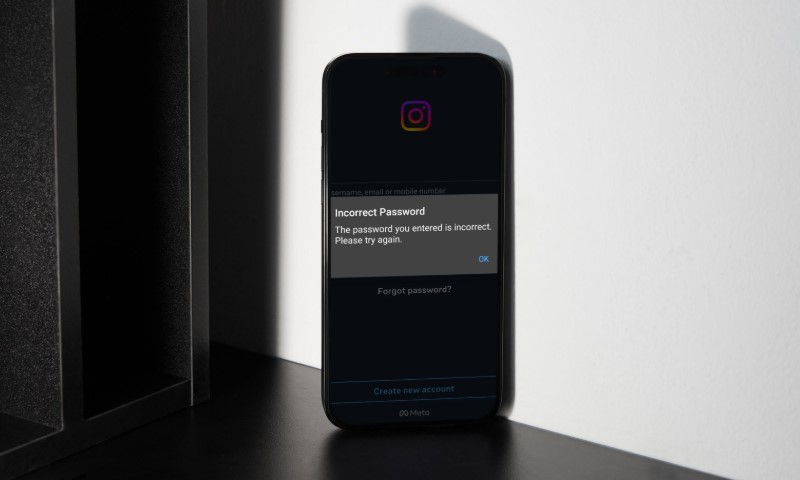
- The password no longer works
- The email on the account suddenly changed
- Posts or Stories appear that were never created by the account owner
- Direct messages ask followers to send money, codes, or crypto
- Login alerts come from cities or countries that make no sense
First 10 Minutes & Containment Actions
If Instagram still opens, treat the situation as urgent. The attacker may still be reshaping recovery details behind the scenes.
Immediate Actions
- Change the Instagram password to a long, unique password that never existed before
- Log out unknown devices in Accounts Center
- Secure the email account tied to Instagram by changing its password and turning on two-step verification
- Check the inbox for legitimate Instagram security emails and act only through verified messages
- Remove unfamiliar third-party apps connected to Instagram
- Warn close contacts if scam DMs were sent
Email security matters more than many realize. Reset links flow through email. Control over email equals control over Instagram.
Confirm The Situation
Not every scary message equals a successful breach. Password reset emails alone do not prove an intruder has control.
| Signal | What It Usually Means | Immediate Action |
| Password changed without permission | High likelihood of takeover | Start hacked recovery flow |
| Email address changed | Confirmed takeover | Use reverse email change link |
| Repeated password reset emails | Someone testing guesses | Ignore suspicious links |
| Login alerts from unknown locations | Active unauthorized sessions | Log out unknown devices |
| New posts or DMs | Account already used | Contain and notify followers |
Official Recovery Paths
Instagram maintains a dedicated hacked support hub. Whenever possible, use a browser on a device that previously accessed the account. Device history supports identity checks.
Path A: Still Able To Log In
- Change the password
- Log out unknown sessions
- Turn on two-factor authentication using an authenticator app
- Remove suspicious apps
- Review recent official Instagram emails
- Scan devices for malware if shady follower tools were installed
Path B: Locked Out But Email Or Phone Still Works
- Use Instagram login troubleshooting tools
- If reset loops fail, go directly to instagram.com/hacked
- Complete the recovery prompts
- After access returns, perform a full security cleanup
Path C: Attacker Changed The Email Address
Instagram sends a reversal email from security@mail.instagram.com when an email change occurs. Use the special reversal link inside that message only.
Important notes:
- If email was also compromised, secure email first
- Treat unexpected email change alerts as urgent
Path D: Attacker Added Their Own Two-Factor Authentication
Instagram may require identity confirmation through a video selfie. Stable lighting and using a familiar device improve success rates.
Path E: No Access To Email Or Phone
At this stage, recovery relies on Instagram identity verification. Start through the hacked hub and secure the phone number with your carrier to reduce SIM-swap risk.
Avoid Fake “Support” Traps
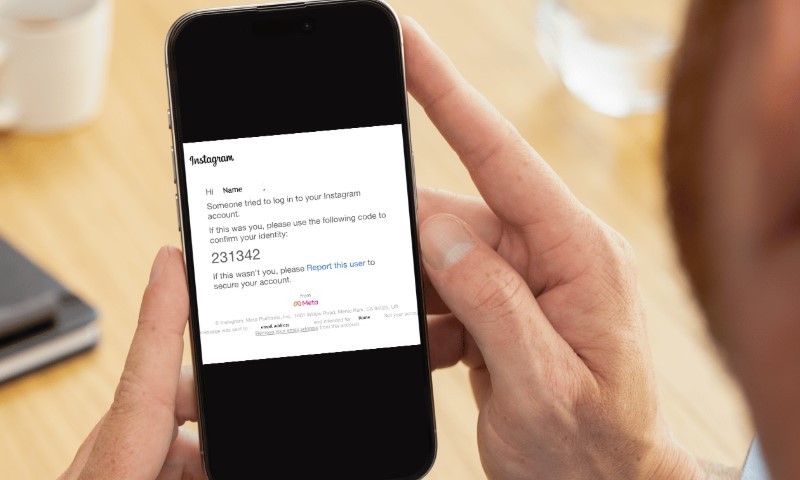
During recovery, phishing attempts multiply. Messages may claim to be from Meta Verified or a security team. Do not click suspicious links or respond to unfamiliar messages.
Two strong checks:
- Official Instagram emails use @mail.instagram.com
- Email change reversals come from security@mail.instagram.com
- Recent official emails can be reviewed inside Instagram settings
Security Settings That Actually Matter After Recovery
Attackers usually maintain access through one of three routes:
- Hidden logged-in sessions
- Connected third-party apps
- Control over email or phone resets
Clear all three.
1. Remove Hidden Sessions
Use “Where you’re logged in” inside Accounts Center.
- Log out of unknown devices
- Change the password afterward to invalidate stolen cookies
2. Two-Factor Authentication
Instagram offers multiple 2FA methods. An authenticator app beats SMS codes because SIM swaps can intercept text messages.
- Turn on the authenticator app-based 2FA
- Save backup codes offline
3. Clean Connected Apps
Followers trackers, analytics dashboards, and auto-DM tools create risk.
Cleanup rules:
- Remove every unfamiliar app
- Reconnect only essential tools
- Add new apps one by one
4. Login Alerts
Keep alerts active to receive early warning on new login attempts.
5. Recent Emails Review
Instagram shows official emails from the last 14 days inside settings. Use the view to spot phishing.
Practical Post-Hack Checklist
| Task | Target | Done When |
| Change Instagram password | New unique password saved | |
| Log out of unknown devices | Accounts Center | Only personal devices remain |
| Enable 2FA | Accounts Center | Authenticator active, backup codes stored |
| Remove suspicious apps | Instagram settings | No unknown apps connected |
| Secure email | Email provider | Password changed, 2-step active |
| Review recent emails | Phishing identified | |
| Warn followers | Clarification posted if needed | |
| Report serious fraud | Authorities | Complaint filed if losses exist |
How Most Takeovers Happen
View this post on Instagram
Here are some of the well-known methods:
Phishing Messages
Fake security alerts push urgency and lead victims into credential capture pages.
Reused Passwords
One breached password can unlock multiple accounts. Unique passwords block that chain reaction.
Third-Party Tools
Followers, boosters, and auto-DM apps often ask for login access. Many breaches trace back to such tools.
SIM Swap Attacks
Phone numbers become targets because SMS login codes can be rerouted. Carrier PINs and cautious sharing reduce risk.
When Money Or Identity Is Involved
Treat the incident as more than a social platform problem.
The FBI’s Internet Crime Complaint Center reports phishing among the most common cybercrimes.
For 2024, reported losses exceeded $16 billion from 859,532 complaints. Victims should notify financial institutions tied to affected transactions and file reports through IC3.
Final Thoughts
Account takeovers feel personal because followers, work, and memories live behind the login screen. Fast containment, careful recovery, and disciplined security cleanup bring control back.
Locking down email, enabling strong two-factor authentication, and trimming connected apps create a safer Instagram profile that stays under your command.