


Messenger icons look simple, but they cause a lot of confusion because people often assume they reveal more than they actually do. In basic terms, sent means your message successfully left your device and reached Messenger’s system.
Delivered means the message made it to the recipient’s Messenger account or device. Seen means the person actually opened the message.
Meta’s help materials describe the icons this way: an open blue circle means the message is still sending, an open blue circle with a check means it was sent, a filled blue circle with a check means it was delivered, and the other person’s small profile picture under the message means it was seen.
The Quick Answer
The easiest way to understand Messenger status icons is this:
That is the real difference. The icons show message progress, not emotions, not intent, and not a guaranteed reason for silence.
Messenger Icon Meaning Table
Icon status
What it means
Open blue circle
The message is still sending
Open a blue circle with a check
The message was sent
Filled blue circle with a check
The message was delivered
Small profile picture below the message
The message was seen
This is the official icon sequence Messenger uses.
What “Sent” Means on Messenger
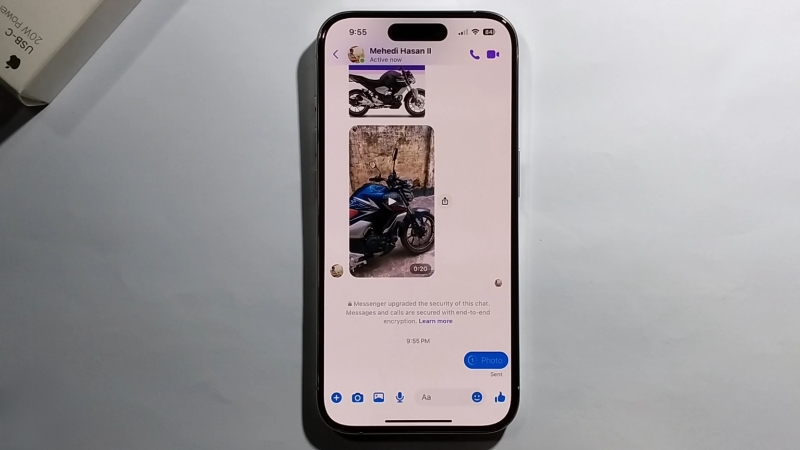
When Messenger shows sent, it means the platform accepted your message. In practical terms, the message has left your side successfully. It is no longer stuck in the sending stage. That is why the icon changes from the plain open circle to the open circle with a check.
What it does not mean is that the other person has definitely opened Messenger or received it in a visible, active way on their end. A message can stay sent for a while if the recipient is offline, has a weak connection, or has not synced the app yet. So if you see sent, it usually means the issue is no longer on your device.
What “Delivered” Means on Messenger
Delivered is one step further than sent. It means Messenger has pushed the message through to the recipient’s account or device. This is why many people see delivery as the moment the message has fully arrived.
Still, delivered does not mean read. That is where a lot of misunderstandings start. Someone can have a delivered message sitting in Messenger without opening it. They might be asleep, at work, away from their phone, or simply not checking messages at that moment. Delivered only confirms arrival, not attention.
What “Seen” Means
@ecrene_madaga Replying to @the.coolfamily how to read Facebook messages without the person knowing it #tiktokstrategy #tiktoktutorials #creatortips #tiktokcreatortips #howtogoviraltips #tiktoktips #tiktoktipsandtricks #tiktokbegginers #newtiktokers #aglady1 #ecrene_m ♬ original sound – _Ecrene madaga
The seen status is the clearest one. Messenger shows this by placing the recipient’s small profile photo under the message. That means they opened the conversation and viewed what you sent.
For most people, this is the status they care about most because it removes the technical uncertainty. At that point, there is no real question about whether the message was read. The only unknown is why the person has not replied yet.
Why People Misread These Icons
A lot of users attach emotional meaning to Messenger icons, but the icons are much narrower than that. They tell you the message status inside Messenger. They do not tell you:
That is important because people often see sent and assume they were blocked, or see delivered and assume they are being ignored. The icon alone does not prove that. Meta’s explanation only defines the delivery stage of the message, not the personal reason behind it.
Simple Example
Here is the easiest way to picture it:
Status
Real-world meaning
Sent
Your message left you
Delivered
Your message reached them
Seen
They opened it
That is the whole system in plain language.
Bottom Line

If you are trying to understand Messenger icons, remember this: sent means the message successfully left your side, delivered means it reached the other person’s Messenger, and seen means they actually opened it. That is the simplest and most accurate way to read those symbols.
If a message sits on sent, it does not automatically mean something personal is wrong. Some people even wonder if it means they were muted, but Messenger does not provide a clear indicator for that situation.
If it says delivered, it still does not mean the person has read it. Only seen confirms that. Once you understand that sequence, Messenger becomes much less confusing.