

Losing photos or videos from an iPhone feels worse than most people expect. One accidental tap, a failed iOS update, or a broken device can suddenly wipe out years of memories. That panic usually sends people searching for recovery software fast, and one name that keeps showing up is Stellar Data Recovery for iPhone.
After spending time looking through its features, user feedback, recovery options, and real-world testing, it becomes clear why the software gets so much attention.
Still, no recovery tool is perfect. Some work better for photos than messages, while others struggle with newer iOS versions. Stellar sits somewhere in the middle ground between beginner-friendly and genuinely powerful.
What Stellar Data Recovery for iPhone Actually Does
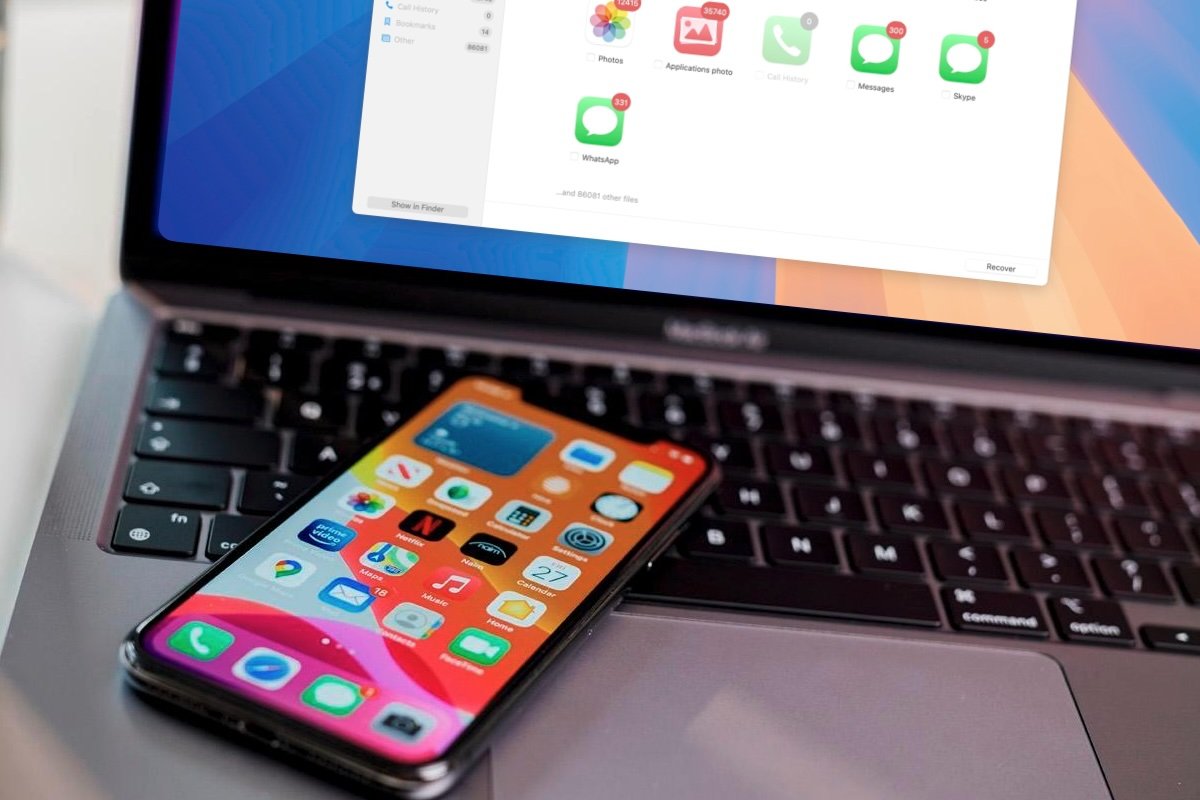
Most people assume recovery software only restores deleted photos. Stellar goes much further than that. The software scans iPhones, iPads, iTunes backups, and even encrypted backups to recover different kinds of lost data. According to the company and several independent reviews, it supports messages, call history, notes, WhatsApp attachments, Safari bookmarks, and more.
If you have been searching for reliable iPhone data recovery software because your camera roll suddenly vanished after an update, this is exactly the type of situation Stellar targets.
A few things immediately stand out:
- It works on both Windows and Mac
- It supports recent iOS versions
- You can preview recoverable files before paying
- Recovery can happen directly from the device or backups
That preview feature matters more than people think. Nobody wants to buy software only to discover their missing files are unrecoverable.
The Setup Process Feels Surprisingly Simple
Some recovery tools look like forensic software designed for IT departments. Stellar is not like that. The interface is clean and straightforward, which honestly makes the experience less stressful when you are already frustrated about losing files.
After installation, the software asks what you want to recover. You can choose photos, videos, contacts, messages, or scan everything. Connecting the iPhone is simple enough, though older devices sometimes require additional permissions before the scan begins.
One detail worth mentioning is that scan times vary a lot. Quick scans are manageable, but deeper scans can take quite a while depending on storage size. TechRadar specifically noted that Stellar scans more slowly than some competitors, although recovery quality remained strong in testing.
Important fact: Deep scans search file signatures directly, which increases the chance of finding deleted content that no longer appears in standard storage indexes.
The Deep Scan mode is often the difference between recovering a deleted video and losing it permanently.
Photo and Video Recovery Is the Strongest Feature

Photos and videos are clearly the software’s biggest focus. In most reviews, recovery success rates for media files were better than for smaller categories like app data or call history.
One reason people like Stellar is the preview layout. Recovered images appear visually instead of as random file names. That sounds minor until you are scrolling through hundreds of deleted items trying to find vacation pictures from two years ago.
Here is a quick look at what the software handles best:
|
Data Type |
Recovery Quality |
|
Photos |
Very good |
|
Videos |
Very good |
|
Contacts |
Good |
|
Messages |
Good |
| WhatsApp media | Mixed but usable |
|
Call history |
Inconsistent |
Some independent testers reported missing results in categories like Viber or LINE messages. That does not necessarily mean the software fails completely, but expectations should stay realistic when dealing with third-party apps.
Under normal circumstances, though, deleted camera roll content is where Stellar performs best.
Backup Recovery Makes a Huge Difference
A lot of people forget that iTunes backups can save them even when the phone itself becomes inaccessible. Stellar takes advantage of that pretty well.
The software can scan local backups and encrypted backups without forcing a full iPhone restore. That matters because Apple’s normal recovery process usually overwrites current device data. Stellar lets users extract specific files instead.
Did you know?
Many iPhone users unknowingly have automatic backups stored on their computers from older sync sessions. Recovery software can sometimes pull deleted files from those backups even after the files disappeared from the actual phone.
That feature becomes incredibly useful after:
- Failed iOS updates
- Factory resets
- Disabled devices
- Broken screens
- Water damage
Several reviews also mention that encrypted backup support is one of the software’s more advanced strengths.
Where the Software Still Falls Short
No recovery tool deserves blind praise, including this one. There are a few limitations that come up repeatedly across reviews and user discussions.
First, recovery success depends heavily on timing. If deleted files were overwritten by new data, recovery chances drop dramatically. That is true for all recovery software, not just Stellar.
Second, scan speed can feel frustrating. Large storage devices take time, especially during deep scans. TechRadar and several users specifically mentioned longer-than-expected scan durations.
There is also some inconsistency with app-based recovery. A Reddit discussion mentioned partial recovery with a mix of working and corrupted files. That lines up with what happens in many real recovery situations. Not every deleted file returns perfectly intact.
One more thing worth knowing is pricing. The free version only previews recoverable files. Actual recovery requires a paid license.
Fresh Questions Readers Still Ask
Final Perspective
For someone dealing with lost photos, videos, or important personal files, the software absolutely makes sense to try before assuming everything is gone forever.
The biggest strengths are easy usability, solid media recovery performance, encrypted backup support, and broad iPhone compatibility. Independent reviews from Macworld and PCWorld also describe the software as beginner-friendly and reliable overall.
At the same time, expectations need to stay realistic. Recovery software is never magic. Files that have been heavily overwritten may stay lost permanently, and some app data categories remain inconsistent.
Still, compared to many complicated recovery utilities that overwhelm casual users, Stellar keeps the process approachable. That alone matters when somebody is already stressed about losing personal memories or work files.
If your priority is recovering deleted iPhone photos and videos without dealing with a technical nightmare, Stellar Data Recovery for iPhone earns its reputation as one of the more practical options available today.